

Dear Open Spacers,
In this blog we are going to publish some practical tips and trick on how to improve your experience with ETF Open Space.
If you have any question or doubt about the functions/technical tips, please do not hesitate to write them in the Comments section below.
TOP TIP 1.
How to change you profile picture?
Click on the top right corner, select "My profile", and then click on the little pencil icon. In the Edit profile you can change your profile picture.

TOP TIP 2.
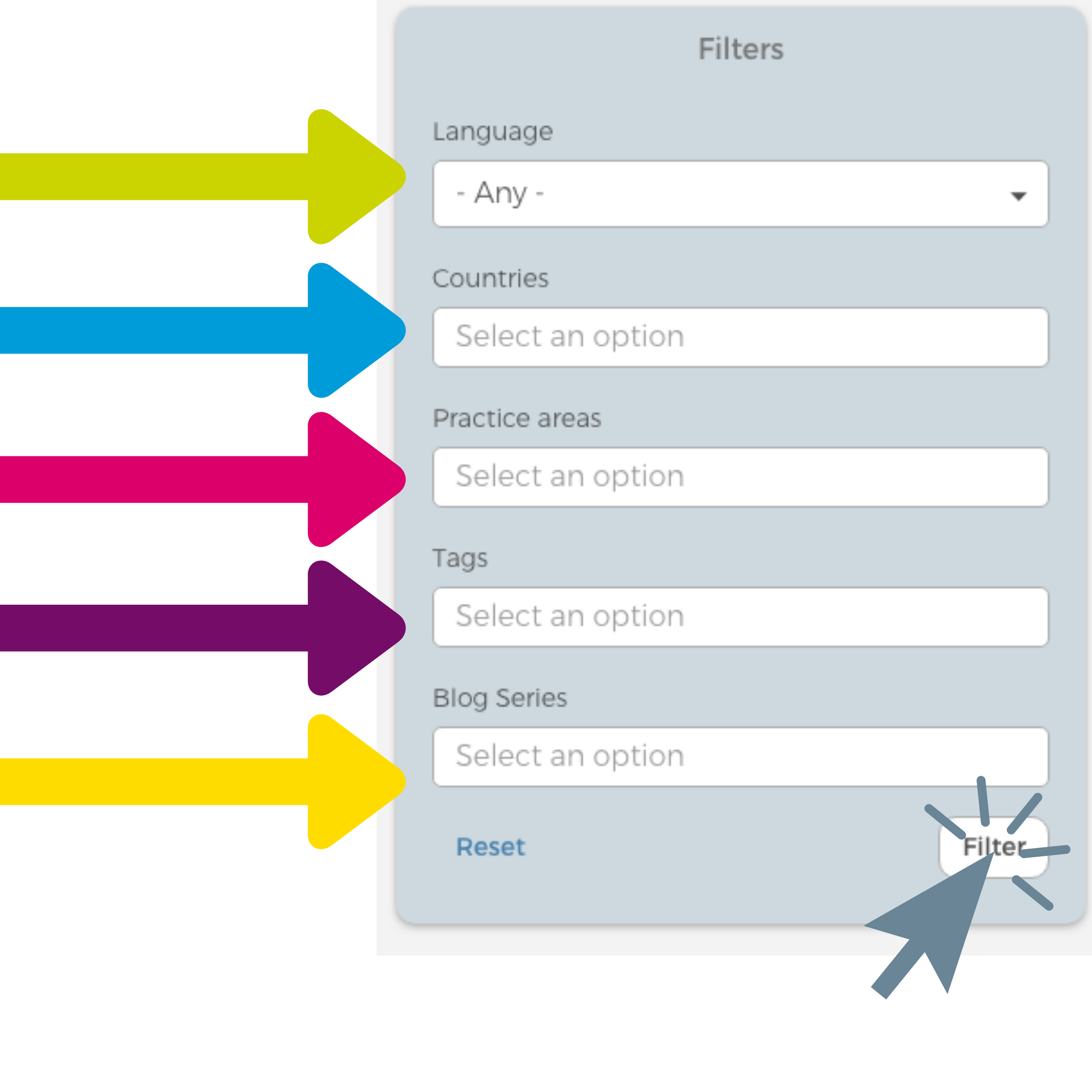
How to find the information about one specific country/topic/theme?
Please use the Filters option on your right hand.
TOP TIP 3.
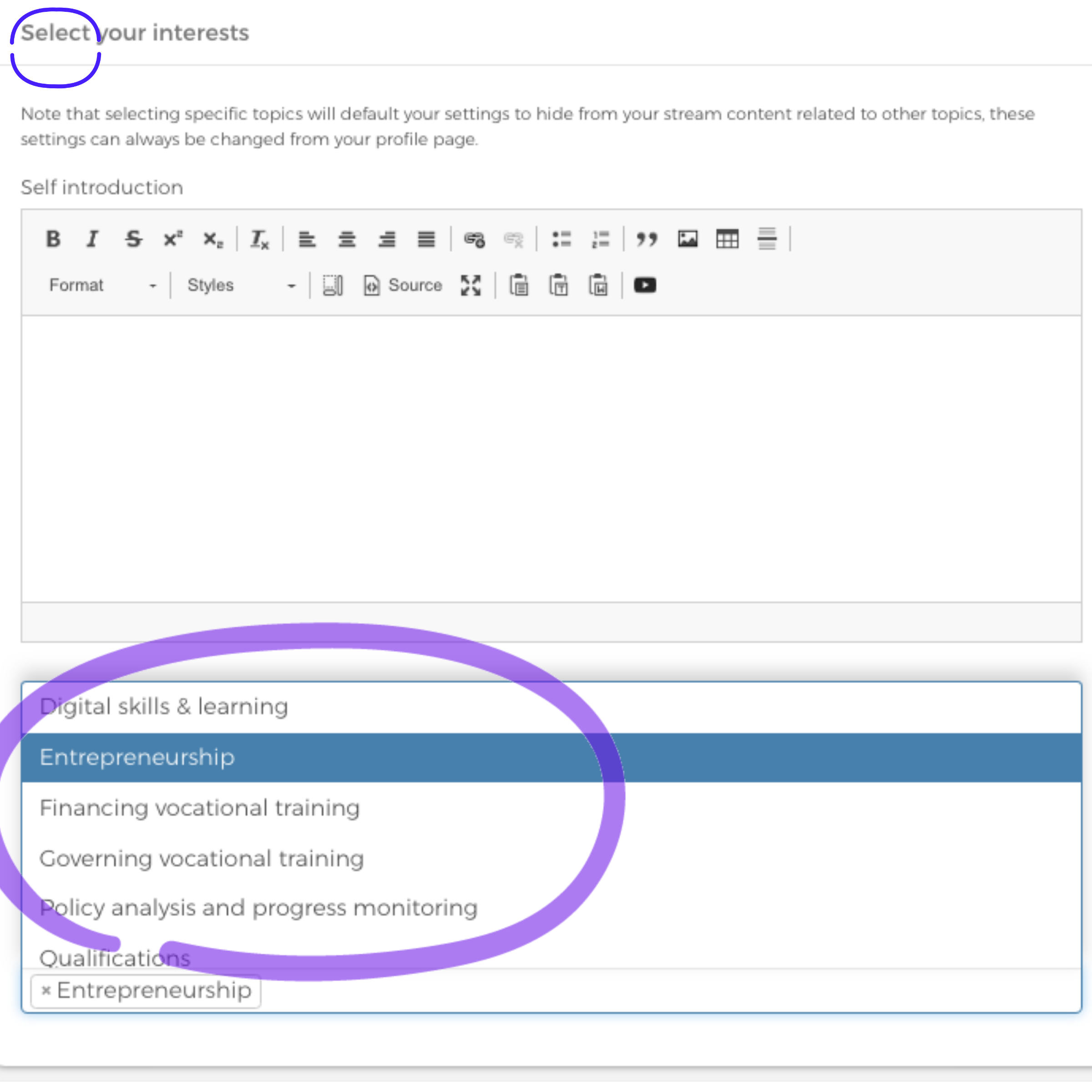
How to fine-tune the Open Space to your interests - you can select the topic(s) you would like to see the information about. If the content will be about the topic you have not selected, it will not be shown to you.
Please go to your Profile as shown above, in the Top Tip 1.
Below the selection of the profile picture, you will be able to see the section "Select your interests". You can select as many themes/topics as you wish.
TOP TIP 4.
How to get a direct access to Open Space from your mobile phone:

TOP TIP 5.
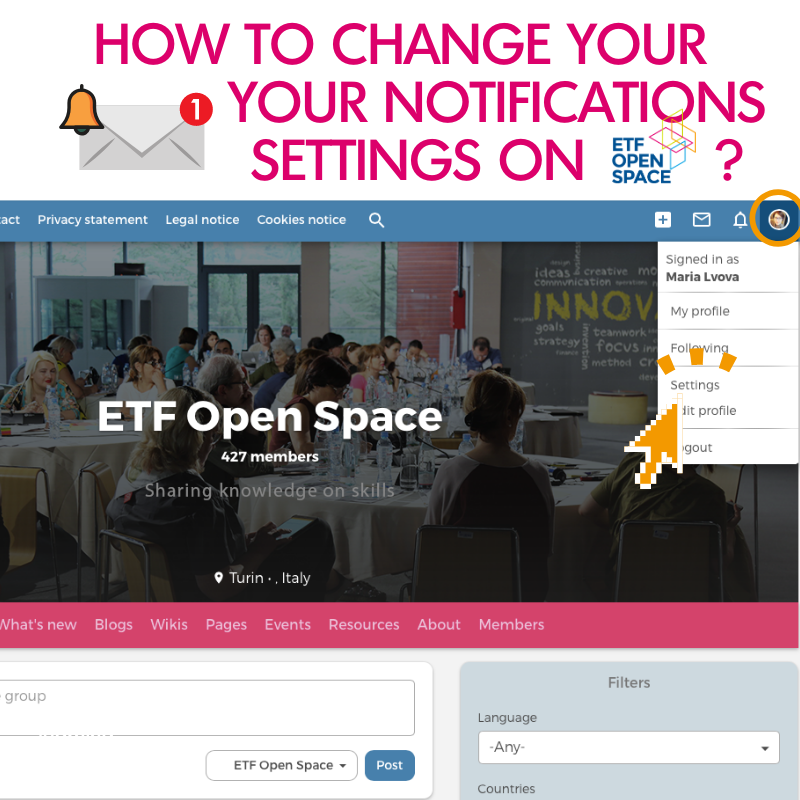
How to enable notifications you receive on your email
(reduce the amount or/and frequency of them)
Please log in or sign up to comment.